
LG ThinQ
LG Electronics, Inc.Lifestyle
4.419.76K Reviews
- Version
- Varies With Device
- Installs
- 100.00M
- Age Rating
- Everyone
Screenshots
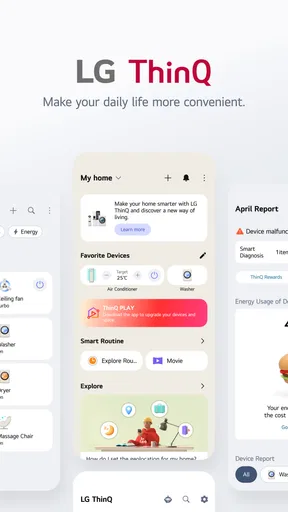
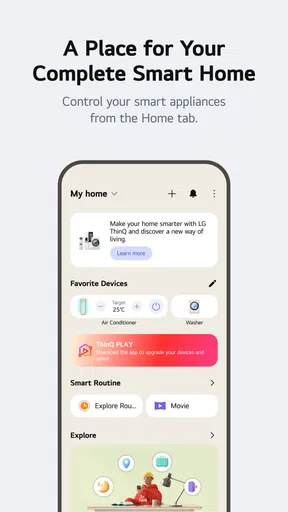
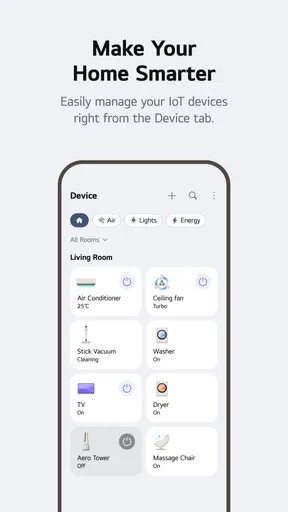
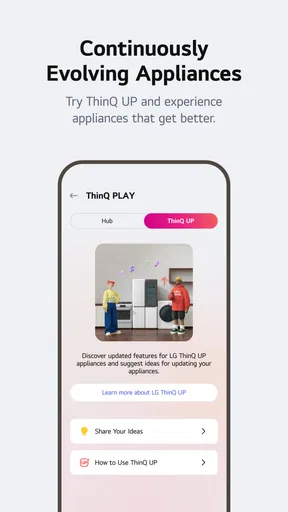
Our Review of LG ThinQ
 Analysis by Appyee
I find the most useful way to judge a connected-home app is to ask whether it makes routine tasks easier for people with different habits, abilities, and home setups—not just whether its screens look modern. LG ThinQ is a free lifestyle app from LG Electronics, Inc. that brings compatible LG appliances into one place. Its appeal depends on what you own and how you prefer to interact with technology: it can reduce trips to an appliance, but it does not make every household task hands-free or remove the need to understand the appliance itself.
Readability and finding the right control
The interface is presented as a set of appliance controls and information rather than a general-purpose social feed, which suits the app’s practical role. In my experience, that kind of focused layout is easier to approach when I open the app with a particular job in mind: check a cycle, look for an alert, or find an appliance-related option. The app has a broad audience, with an Everyone content rating, and its 4.4 average from around 1.2 million ratings suggests many people find it useful, though a rating cannot tell you whether it will suit your own devices or preferred way of navigating.
For readability, the most important question is not simply whether the screens look polished; it is whether the information I need is easy to distinguish from controls I do not need right now. Appliance names and status details matter more than decorative touches, especially when several devices are connected. I recommend naming devices in a way that makes sense to everyone at home, such as “upstairs washer” rather than a model label. That small organizational choice can make a shared household’s routine clearer and reduce the chance of selecting the wrong appliance.
Motor and sensory considerations
Remote controls and alerts can be helpful when walking to an appliance is inconvenient, when I am carrying something, or when a cycle finishes in another room. The practical benefit is situational rather than magical: I still need to choose a suitable setting and make sure the appliance is loaded correctly, but I may not need to return just to check whether it has finished. That distinction matters for anyone with limited mobility, fatigue, or a busy routine. The app can shift some interaction to a phone, but it does not replace physical access to the appliance for every task.
Notifications can also reduce the need to keep checking a machine, though alerts are only useful if they are noticeable and their wording is easy for the person receiving them to understand. I would treat them as a convenient prompt, not as a guarantee that I will never miss a finished cycle. Phone settings, quiet modes, and a device’s own signals all shape how an alert reaches me. If sound is not a reliable cue in your home, consider which visual or phone-based signals you already notice, and test the notification behavior during an ordinary cycle before depending on it.
Situational access at home and away
A connected appliance is especially helpful when household members divide chores or keep different schedules. For example, someone can start a wash and get on with dinner rather than repeatedly checking the laundry room. A person who is away from the appliance may be able to monitor or control supported functions from the app, but the exact options depend on the appliance and its compatibility. I would check what the specific model exposes before planning a routine around remote control; owning an LG appliance alone does not mean every feature will be available in the same way.
The app’s scale is substantial: it has over 100 million installs, and its current version is 5.1.24320. That reach makes it a familiar choice for many LG owners, but it is not a reason by itself to install it if your home does not contain compatible products. It is free, so trying it does not involve an app purchase, yet setup still takes time and connected features are only useful when the appliance, phone, and home network work together. I would start with one appliance and one task instead of trying to configure every possible option at once.
Where convenience still has limits
ThinQ is most compelling when it adds a genuinely useful layer to an appliance I already use. It is less convincing if I want one app to manage a mixed collection of products from many manufacturers, or if I prefer physical buttons and do not want to check a phone for household updates. A manufacturer’s own app can offer controls tailored to its appliances, while broader smart-home platforms may be a better fit for someone whose main goal is coordinating equipment across brands. Those alternatives involve their own setup choices, so the right one depends on whether appliance-specific detail or a single cross-brand view matters more to you.
There is also a learning curve hidden inside the promise of simplicity. I may need to learn which options are available for each appliance, decide which alerts are worth keeping, and make sure the right family members know how to find the right device. Too many notifications can become background noise; too few can make the app feel pointless. My practical advice is to begin with alerts tied to a real inconvenience, such as knowing when a cycle has ended, and leave less useful notices off if the settings allow it. This keeps the phone from becoming another source of clutter.
Getting Started with LG ThinQ
The first thing I noticed was how simple it was to get started. Downloading the app from the App Store or Google Play was a breeze. Once installed, the setup process was fairly intuitive. A couple of clicks here, a few permissions there, and I was ready to rock and roll.
Connecting my LG appliances was surprisingly swift. The app instantly recognized my smart fridge and washing machine. It was like they had been waiting for this moment to shine. I felt a bit like Tony Stark talking to J.A.R.V.I.S. – okay, maybe not that cool, but you get the gist.
A World of Features
Now, let’s dive into the features that make LG ThinQ stand out. The app offers a hefty list of functionalities, making your appliances more than just household items. For instance, I could control my washing machine’s cycle right from my phone. No more running to the laundry room every five minutes. I could even get notifications when my laundry was done. Talk about life-changing!
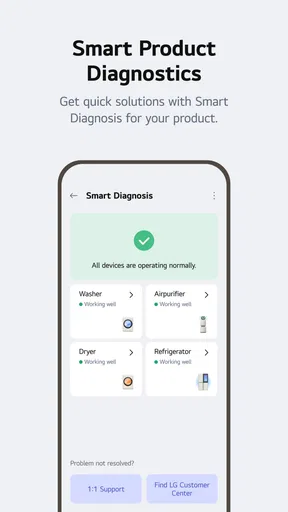
The diagnostics feature is another standout. Imagine having a doctor for your appliances. If something feels off, the app can diagnose potential issues and suggest solutions. This is a major win for anyone who despises unexpected breakdowns.
Personalization and Convenience
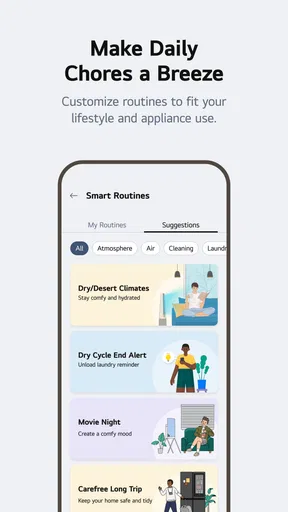
One thing that really impressed me was the level of personalization. With Smart Routines, I could set up daily schedules. Want your air conditioner to start cooling down the house before you get home? Done. Fancy having your coffee machine brew your morning cup at 7 AM sharp? Easy peasy.
The app also integrates well with voice assistants. Whether you’re team Alexa or Google Assistant, you’re covered. I found myself talking to my appliances more than I’d like to admit. But hey, it’s 2023, and talking to machines is totally normal, right?
User Experience
Let’s talk about the user interface. It’s sleek, modern, and doesn’t require a tech degree to navigate. Each feature is clearly laid out, making the app accessible for everyone. The visual design is crisp, with just the right amount of color to keep things interesting.
Performance-wise, the app is pretty robust. During my time using it, there were no crashes or glitches. Everything operated smoothly, which is exactly what you want when dealing with smart home tech.
Making the app work for different routines
One worthwhile habit is to treat ThinQ as a companion to the appliance, not as a replacement for its controls. I would use the phone for checks and actions that save a trip, then keep the appliance’s own panel as the straightforward option for anyone who does not want to use a phone. That gives a household more than one way to handle a task, which is often more inclusive than insisting everyone adopt the same interface.
For a busy evening, I might start a wash before preparing dinner, then rely on an alert to tell me when it is time to move the clothes. If I am helping a family member with a chore, I can explain the phone workflow once and leave the physical controls available as a fallback. The useful trade-off is that remote access can make a routine less dependent on being beside the machine, while shared use still benefits from clear device names and agreed habits.
Routines are most valuable when they solve a repeated problem, not when they automate something simply because automation is possible. I would begin with one predictable moment—such as cooling a room before returning home—and see whether the schedule fits real life. A schedule that is too rigid can become an annoyance when plans change. Before relying on any automated action, I would check that the appliance is in a suitable state and that other people in the home understand what the routine will do.
Choosing it for your household
This app is a strong candidate if you already use compatible LG appliances and want device-specific controls, status information, or diagnostics in one place. It may also suit a household where people split chores and appreciate being able to check an appliance without walking over to it. Someone who is new to connected products can keep the first step modest: connect one appliance, test a single useful control, and decide whether the added phone interaction feels worthwhile.
I would skip it if you do not own compatible LG products, want a single control center for a varied collection of brands, or find app-based interaction more tiring than using appliance buttons. It may also be a poor fit if your household has unreliable access to the phone used for alerts, or if managing another set of settings feels like more work than the convenience it offers. In those cases, the appliance’s built-in controls—or a broader smart-home option for a mixed setup—may be the more sensible choice.
People often wonder whether they need to connect every appliance, whether remote control will work for every task, and whether the app is useful without voice commands. I would not treat any of those as all-or-nothing decisions. Start with the appliance whose status you most often check, confirm that its available controls match your needs, and use the app directly if voice interaction is not comfortable. Compatibility and the options shown for a device are the practical limits to check before building a household routine around it.
Final Thoughts
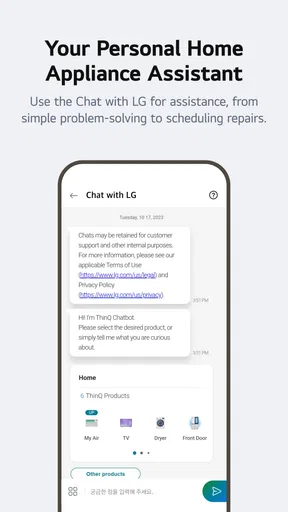
So, is LG ThinQ worth it? If you own LG appliances, it’s a no-brainer. The app enhances the functionality of your gadgets, making everyday tasks a little less mundane. It’s like having a personal assistant for your home, minus the hefty salary.
Whether you’re commanding your washing machine from the couch or diagnosing your fridge’s hiccup, the convenience and peace of mind are well worth it. In a world that’s always on the go, having a bit of extra help makes all the difference. So go ahead, give it a whirl and see how it transforms your home life.
An inclusive verdict
My overall view is that ThinQ can make an LG-equipped home easier to manage when people have different schedules or find repeated trips to appliances inconvenient. It offers another route to routine controls and information, but I would not call a phone interface universally easier: small touch targets, unfamiliar menus, alerts that go unnoticed, and dependence on a connected device can each create friction. A good setup keeps the most useful controls easy to find and leaves a familiar alternative available.
LG ThinQ is a lifestyle app with a clear purpose, backed by LG Electronics, Inc. and a large user base, but its value is personal and practical rather than automatic. Try it if a particular appliance task is genuinely easier from your phone; keep the appliance controls or another platform in reach if they better suit your household. That balance is what makes connected-home tools helpful without asking everyone to change how they manage their day.
Privacy and Permissions
See what permissions an app requests and how it handles your data.
- Location
- approximate location (network-based), precise location (GPS and network-based)
- Phone
- read phone status and identity
- Photos/Media/Files
- read the contents of your USB storage, modify or delete the contents of your USB storage
- Storage
- read the contents of your USB storage, modify or delete the contents of your USB storage
- Camera
- take pictures and videos
- Microphone
- record audio
- Wi-Fi connection information
- view Wi-Fi connections
- Device ID & call information
- read phone status and identity
- Other
- view network connections, pair with Bluetooth devices, access Bluetooth settings, change network connectivity, allow Wi-Fi Multicast reception, connect and disconnect from Wi-Fi, expand/collapse status bar, full network access, change your audio settings, control Near Field Communication, run at startup, control vibration, prevent device from sleeping
Verdict
Strengths of LG ThinQ
- User-friendly interface for easy navigation.
- Seamless integration with LG smart devices.
- Customizable routines for automation.
- Voice control compatibility enhances usability.
- Remote access to devices from anywhere.
Limitations of LG ThinQ
- Limited compatibility with non-LG devices.
- Occasional connectivity issues reported.
- Some features require a premium account.
- Updates can be slow to roll out.
- User support could be improved.
Similar Picks in This Category
View All
SmartThings
Samsung Electronics Co., Ltd.4.6

Google Home
Google LLC4.0

Pinterest4.2

Astrotalk - Talk to Astrologer
Astrology & Horoscope4.7

My Verizon
Verizon Consumer Group4.5

Samsung Wallet (Samsung Pay)
Samsung Electronics Co., Ltd.4.1
Frequently Asked Questions
What is LG ThinQ and what can it do?
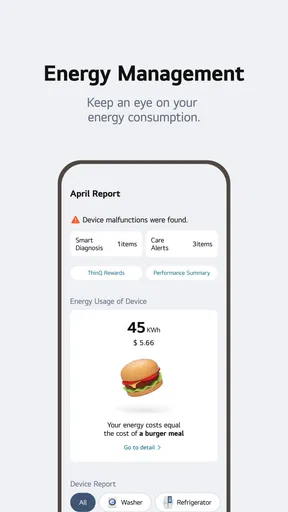
LG ThinQ is a smart home app designed to connect and control LG smart appliances and devices. It allows users to remotely manage everything from refrigerators and washing machines to air conditioners and TVs. The app provides features like scheduling, real-time notifications, and energy usage monitoring, making it easier to optimize your home appliances for efficiency and convenience.
Is LG ThinQ compatible with all LG devices?
LG ThinQ is compatible with a wide range of LG smart appliances and devices, but not all. Before downloading, it's important to check if your specific LG products support the ThinQ app. You can usually find compatibility information in the product manual or LG’s official website, ensuring your devices can be seamlessly integrated into the app.
How secure is the LG ThinQ app?
The LG ThinQ app employs several security measures to protect user data, including encryption and secure login protocols. However, as with any smart home app, users should ensure their network is secure and keep the app updated to the latest version. Regular updates from LG aim to address vulnerabilities and enhance overall security.
Can LG ThinQ be used with voice assistants like Google Assistant or Amazon Alexa?
Yes, LG ThinQ is compatible with popular voice assistants like Google Assistant and Amazon Alexa. This allows users to control their LG smart devices using voice commands, providing a hands-free experience. Integration is straightforward, requiring a few steps to link your accounts and enable the voice control features.
Are there any subscription fees or hidden costs associated with LG ThinQ?
LG ThinQ itself is free to download and use. There are no subscription fees associated with the app. However, users should be aware that some advanced features or integrations may require additional LG services or compatible devices, which could incur extra costs. Always check for any potential fees before purchasing additional services.
